
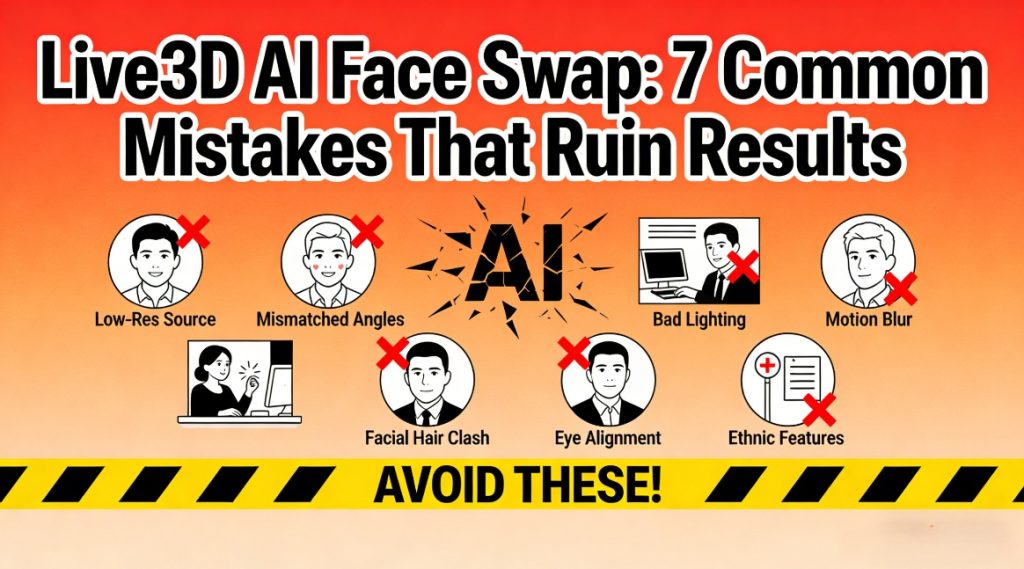
I didn’t start using face swapping tools because I wanted perfection. I started because I was curious. After dozens of experiments, I realized that most bad results weren’t caused by “bad technology,” but by simple human mistakes. Once I understood that, my AI Face swap results improved almost overnight, and I began to see clear patterns in what ruins a final image and what makes it look natural.
The Most Common User Mistakes That Break Face Swaps
Mistake 1: Using blurry or low-resolution source faces
What goes wrong:
Blurry input leads to soft, undefined facial edges. The tool has no sharp reference points, so the swap looks melted or painted on.
What works instead:
Start with clear, front-facing photos where eyes, nose, and mouth are visible and in focus.
Mistake 2: Ignoring head angles and face alignment
What goes wrong:
Trying to swap a side-profile face onto a front-facing head usually causes stretched cheeks and distorted eyes.
What works instead:
Match head tilt and camera angle between the source and target photos as closely as possible.
Mistake 3: Mismatched lighting conditions
What goes wrong:
A brightly lit face placed onto a dim background almost always looks fake. Shadows won’t match, and the brain instantly notices the inconsistency.
What works instead:
Choose photos with similar light direction, color temperature, and brightness.
Mistake 4: Overusing “enhance” or “beauty” filters
What goes wrong:
Heavy enhancement often oversharpens the swapped face, creating an unnatural plastic-skin effect.
What works instead:
Use subtle adjustments and let the source photo’s natural texture guide the realism.
Mistake 5: Using faces that are partially covered
What goes wrong:
Hands, hair, glasses, or masks confuse the detection system and create unnatural edges around those areas.
What works instead:
Start with fully visible faces, then experiment with accessories only after mastering basic swaps.
Process-Level Errors That Most People Don’t Realize
Mistake 6: Skipping photo preparation
What goes wrong:
Directly uploading raw images without cropping, rotating, or adjusting exposure often produces weak results.
What works instead:
Spend one or two minutes aligning faces, adjusting brightness, and correcting orientation before uploading to Live3D.
Mistake 7: Expecting one-click perfection
What goes wrong:
Relying on a single generate attempt leads to disappointment. Subtle variations in processing can change results.
What works instead:
Run two or three versions, compare them carefully, and select the most natural-looking output.
Treating the tool like magic instead of a tool
When users expect miracles, they tend to skip smart preparation steps. The software is powerful, but it can’t compensate for extremely poor input.
Why consistency matters more than experimentation
Randomly changing inputs for every test prevents you from understanding what actually affects the results. A consistent testing method makes improvement predictable.
How Live3D helps reduce user-side errors
Live3D AI face swap quietly fixes some alignment and blending issues in the background, which makes small user mistakes less damaging than they would be in other tools.
How to Get Reliable Results With Live3D Every Time
Building a repeatable photo workflow
A simple workflow made the biggest difference for me:
- Select clean source photos
- Match angles and lighting
- Run multiple swap passes
- Compare details before exporting
Understanding what Live3D does best
Live3D works particularly well with standard portrait-style images and balanced lighting. Knowing this helps set realistic expectations.
Recovering from bad outputs without starting over
Instead of changing everything, I learned to adjust one variable at a time—angle, lighting, or resolution—and rerun the swap for controlled improvements.
Turning failures into learning shortcuts
Each bad result revealed exactly what went wrong. Over time, I needed fewer attempts because the patterns became obvious.
Why Live3D works better with preparation
Live3D doesn’t just generate faces; it optimizes blending and texture transitions. When you give it good inputs, the output feels much closer to real photography.
Conclusion: Small fixes create professional face swap results
Most “ruined” outputs aren’t caused by bad software—they come from simple, repeatable mistakes. Once you understand those patterns, results improve dramatically. With the right preparation and realistic expectations, a structured face swap workflow can turn inconsistent experiments into reliable, natural-looking outcomes.